Free industrial asset sample · Unreal Engine
Place a cable tray and wall bracket in Unreal
Try a complete 1 m ladder tray and matching wall bracket in your environment scene. This guide covers the stock GLB import, material checks and two-piece placement from Industrial Ladder Tray Kit.
- 1 m straight
- 200 mm tray width
- 300 mm wall bracket
- 4,316 triangles total
Get the two-piece sample
Two GLBs with embedded maps, editable Blender source, three separate 1K PBR maps and placement instructions. No account or purchase required.
Download free sample · ZIP · 9.25 MBPersonal and commercial project use under the included licence; attribution optional. Standalone redistribution or resale of the asset files is restricted. Original meshes and textures made with AI-assisted procedural code.
Checked in Unreal Engine 5.8.2 on Windows through automated stock Interchange import and a fresh saved-scene reopen. The editor steps below follow Epic’s interface documentation; manual clicks and other engine versions were not tested.
1. Import at the intended size
Extract the ZIP. In a disposable project, use File → Import Into Level and choose meshes/Straight_1000.glb, then meshes/Wall_Bracket_0300.glb. Keep the embedded materials and textures. Scene imports can include empty organisation nodes: place the generated static mesh for each named piece.
In the Interchange import options, turn off Recompute Normals, Recompute Tangents, Generate Lightmap UVs, collision generation and Build Nanite. Keep the other stock glTF material settings. These are choices for this import; no global pipeline changes or extra plugin is required by the sample.
At actor scale (1, 1, 1), the straight should measure 100 × 20 × 4.5 cm. Do not multiply the actor’s scale by 100. The straight’s origin is at its incoming tray-centre endpoint; the bracket’s origin is at its wall mount.
2. Keep the imported material connections
| Map | Setting and use |
|---|---|
| BaseColor | sRGB on; colour data. |
| ORM | sRGB off. Green = roughness; blue = metallic. Red is constant 1, not a geometry AO bake. |
| Normal_OpenGL | sRGB off; Normalmap compression. The tested importer enabled Flip Green Channel automatically. |
Leave the importer’s normal conversion in place. Do not also invert the supplied PNG’s green channel. UV0 repeats the original maps at one UV unit per metre of source surface projection; it intentionally overlaps. No unique atlas or lightmap UV layout is supplied.
3. Align the bracket under the tray
For each placed component, set Mobility: Movable, then Collision Presets: NoCollision. This is a decorative setup with no authored gameplay collision.
Enter these locations in centimetres, keeping scale at one. Rotation fields are Unreal’s X = Roll, Y = Pitch, Z = Yaw, in degrees.
| Piece | Location X, Y, Z (cm) | Rotation X, Y, Z (°) |
|---|---|---|
| Straight_1000 | −110, 0, 100 | 0, 0, 0 |
| Wall_Bracket_0300 | −90, 18, 100 | 0, 0, −90 |
The bracket’s beam now points toward world −Y. Its tray seat lies at (−90, 0, 100) cm, under the straight. The seat is 18 cm from the wall mount; that offset is separate from the tray’s 10 cm grid. Matching the open-face direction matters as well as matching endpoints.
These entered angles are derived from the orientation vectors checked in the automated scene. The supplied JSON is placement data, not an editor script or a bundled Unreal level.
4. Give the steel something to reflect
Fully metallic surfaces reflect their environment. Direct lights alone can leave broad faces dark, even when the texture connections are correct. Check your sky or local reflection environment before changing the maps. A skylight’s black lower hemisphere can darken downward-facing reflections; choose the lower-hemisphere treatment appropriate to your scene.
Save and reopen your scene to check the result in your project. Our bounded test retained the meshes, material connections, route placement and explicit NoCollision setting after reopening. That does not establish cooked gameplay, performance, Nanite or lightmap support.
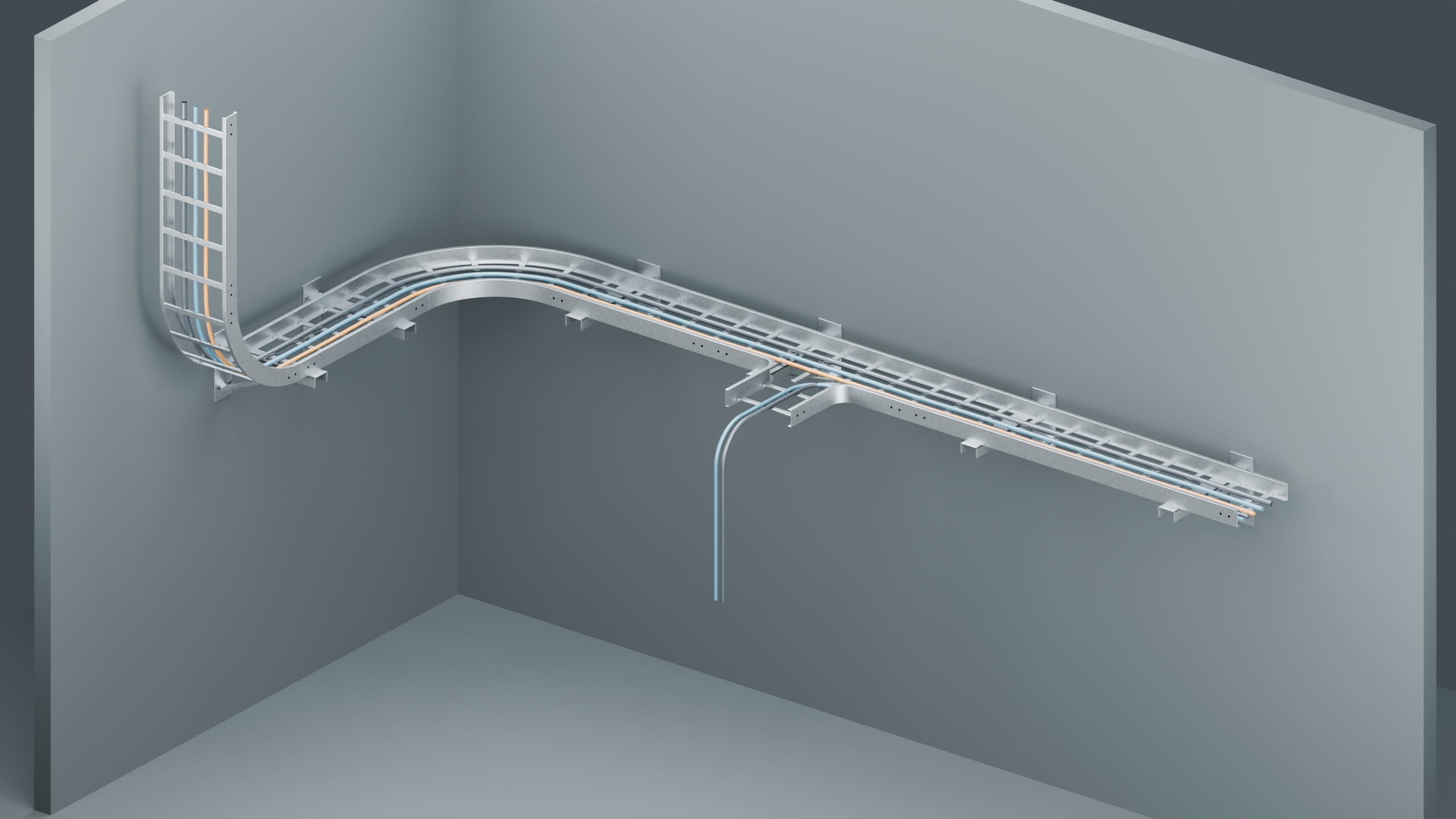
Need corners, branches and a riser?
The full six-piece kit is US$7 on Gumroad. It adds a 0.5 m straight, horizontal elbow, vertical riser and tee. The sample’s GLBs and texture bytes match the corresponding full-kit files, with the same project-use rights.
References
- Epic: importing assets using Interchange
- The sample’s
UNREAL_QUICKSTART.txt,MATERIALS.txtandUNREAL_ASSEMBLY.jsoncontain the complete version-specific settings and placement data.
Sample version 0.1.0 · 5 October 2026. AI-assisted guide based on original assets and recorded import checks. Decorative scene assets, with no real-world engineering or load rating.